Used Car Infotainment: Top Tech Features to Look for When Shopping for a Pre-Owned Vehicle
Posted Tuesday, Mar 10, 2026
When you’re shopping for a used car, the car’s infotainment system can make a big difference in comfort, connectivity, and safety behind the wheel. Infotainment and technology features in many used cars now rival new vehicles — from Apple CarPlay and Android Auto to built-in navigation, touchscreen quality and Bluetooth hands-free calling. This guide helps car buyers identify features to look for in a used vehicle so you can improve the driving experience and make a confident car purchase.
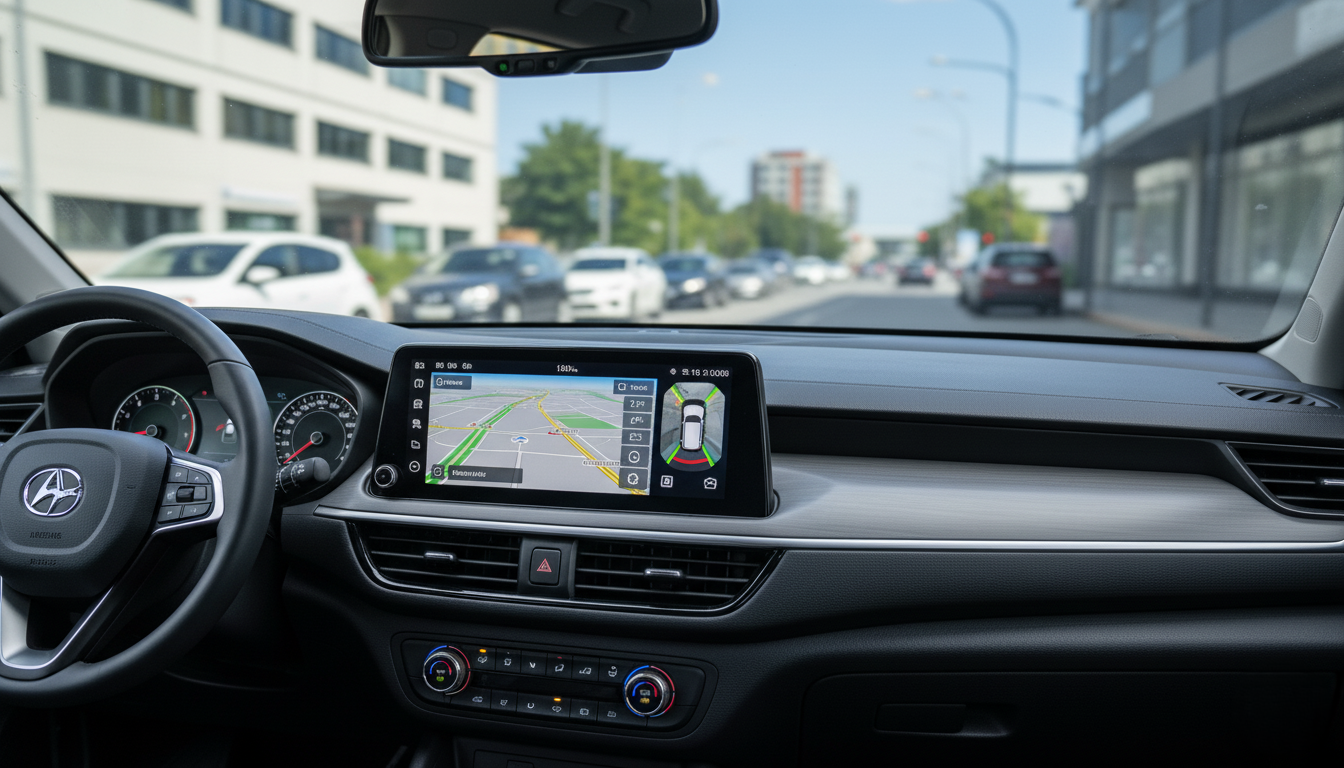
1. What should I check about the infotainment system touchscreen and physical buttons?
When inspecting a used vehicle, take a close look at the infotainment touchscreen responsiveness and any physical buttons. Many newer models include high-resolution touchscreens, but touchscreen quality varies widely among used cars for sale. Check that the screen responds quickly to taps, does not have dead zones, and that the display isn’t cracked or discolored. If the system relies heavily on touchscreen controls, confirm that physical buttons or knobs for volume and climate remain functional to maintain focused and safe driving.
Physical buttons are still a standard feature in many vehicles and can be easier to use while driving than touchscreen-only systems. Look for a balance: an infotainment touchscreen paired with physical controls enhances usability and reduces distraction. For car buyers considering brands like Chrysler, Nissan, Toyota, or Chevy, test both the touchscreen and tactile controls during a test drive to evaluate the behind the wheel experience.
2. Does the used model support Apple CarPlay or Android Auto?
Apple CarPlay and Android Auto dramatically improve connectivity in many used cars by letting drivers access navigation, messaging, and music apps safely. When shopping for a used car, ask whether the car’s infotainment supports Apple CarPlay or Android Auto, or offers Apple CarPlay and android auto together. These systems enable hands-free operation and integration of favorite apps such as Google Maps and Waze, which is especially valuable if the built-in navigation is outdated.
If the vehicle supports Apple CarPlay and android auto, test both systems (if possible) to ensure reliable connection over USB ports or wireless pairing. Some recent models support wireless Apple CarPlay or wireless Android Auto, which is a newer feature to consider. If the used vehicle lacks these features, weigh the cost of aftermarket upgrades versus the convenience of having them built-in.
3. How important is built-in navigation or access to Google Maps and Waze?
Built-in navigation systems can be useful, but access to Google Maps or Waze via Apple CarPlay or android auto often provides more up-to-date traffic and routing. When shopping for a used vehicle, consider whether the car’s navigation system is current; older built-in navigation databases may be out-of-date or expensive to update. Features to look include clear map graphics, quick route recalculation and live traffic data.
If the vehicle supports Apple CarPlay or android auto, you can rely on phone-based navigation for access to Google Maps and Waze, making the car’s own navigation less critical. For buyers who frequently travel in areas with weak cell coverage, a robust built-in navigation system can still be valuable. Take time to test navigation routing and how the system displays directions on the infotainment touchscreen and digital gauge cluster.
4. What connectivity and USB ports should I look for in a used vehicle?
Connectivity is a core part of infotainment: look for multiple USB ports, Bluetooth pairing, and Wi-Fi hotspot capability if available. Many used cars include several USB ports for charging and connecting devices; newer and recent models may offer USB-C ports for faster charging and data. Confirm that the USB ports actually support data transfer for Apple CarPlay or Android Auto, not just charging.
Bluetooth remains a fundamental feature for hands-free calls and audio streaming. Test Bluetooth pairing with your phone to ensure call quality and media playback work reliably. Some vehicles also provide rear-seat connectivity options and headphone jacks for passengers — useful features that improve the driving experience for families and teen drivers.
5. Which safety features integrate with the infotainment system and why do they matter?
Advanced safety features increasingly integrate with infotainment systems to provide alerts and camera views through the display. Features to consider include blind-spot monitoring, blind-spot alerts displayed on the screen, backup camera with dynamic guidelines, and emergency braking notifications. These driver-assist systems help keep your attention on the road and can reduce the risk of collisions.
Look out for when shopping for a used car: does the car display forward collision warnings, lane departure alerts, or pedestrian detection on the infotainment screen? Integration of sensors and the infotainment display enhances situational awareness, and many cars now show camera feeds or sensor alerts directly on the screen. If safety is a priority, prioritize used models with advanced safety features and a clear way to present alerts to the driver.
6. Should I prioritize adaptive cruise control and cruise control features?
Cruise control is a standard feature on many used cars, but adaptive cruise control improves highway driving by automatically adjusting speed based on traffic. Adaptive cruise control and features like lane centering are often linked to driver-assist systems; they may display settings and warnings through the infotainment or digital gauge cluster. Confirm the adaptive cruise control functions during a test drive and inquire about the system’s calibration and maintenance history.
Even basic cruise control remains useful, but adaptive cruise control provides the newest features that make driving less stressful on long trips. If the used vehicle offers adaptive cruise control, check for compatibility with other systems like blind-spot monitoring and forward collision alerts. These interconnected technologies often provide the best behind the wheel experience in recent models and many used vehicles.
7. How does voice recognition and hands-free operation improve the driving experience?
Voice recognition and hands-free operation let drivers control infotainment features without taking their eyes off the road. When shopping for a used car, test the car’s voice commands for functions like navigation input, making phone calls, adjusting radio stations and sending messages. Systems vary in accuracy, and more recent models with advanced voice recognition will better understand natural phrases and accents.
Apple Siri via Apple CarPlay or Google Assistant via Android Auto often provide superior voice control compared to older built-in systems. If the vehicle supports Apple CarPlay or android auto, voice control becomes more robust through your phone’s assistant. Hands-free operation reduces distraction and helps drivers remain focused on driving, a key consideration for safety features and teen driver scenarios.
8. What should I look for when assessing infotainment reliability and software updates?
Infotainment reliability and the availability of software updates can affect long-term usability. Older systems may develop glitches, slow response, or lose compatibility with newer phones. Ask the seller or dealership about the car’s infotainment software update history and whether the carmaker still provides updates for that model. Some manufacturers release over-the-air updates for newer models, which is a premium feature to consider.
Inspect used cars for any recurring infotainment issues reported in vehicle history or maintenance records. Brands such as Chevrolet (UConnect), Nissan, Chrysler and Toyota have different reputations for system reliability; research specific used models and owner forums to learn about common problems. Taking a closer look at reliability reduces surprises after buying a used vehicle.
9. Which brand-specific infotainment features should buyers consider (e.g., Uconnect, Toyota Entune)?
Carmakers bundle infotainment into branded systems like Uconnect, Entune, Nissan Connect and others, each with unique features. When comparing used cars, consider how each system presents features to drivers and passengers. Uconnect systems in many Chevy models are praised for intuitive menus and smartphone integration, while Toyota’s systems may prioritize safety display integration and standard features across trims.
Research features available for the specific used model year you’re considering. Some systems provide concierge services, in-vehicle apps, or subscription-based services that may have expired on a pre-owned car. Understanding brand-specific features helps you weigh the value of particular used vehicles and determine if aftermarket upgrades or subscriptions are needed.
10. Are there tech features to consider for families and teen drivers?
Families and parents of teen drivers should look for tech features that support safe habits: teen driver modes, rear-seat entertainment, multiple device connectivity, and driver attention alerts. Teen driver features can limit audio volume, restrict certain safety features, or provide driving reports — all valuable for monitoring a new driver’s behavior. Check whether the used vehicle has a teen driver profile or parental controls built into the infotainment system.
Other features to consider include rear-seat USB ports, integrated rear entertainment screens, and easy-to-use connectivity for multiple passengers. Safety features such as blind-spot alerts, emergency braking, and forward collision warning are especially important for families. Evaluate how the infotainment displays these alerts and whether it includes profiles for different drivers, which can personalize settings and preserve safety preferences.
11. How can aftermarket upgrades and compatibility affect my used car purchase?
If a used vehicle lacks Apple CarPlay or android auto, aftermarket infotainment touchscreen units can add modern connectivity and navigation capabilities. However, upgrades vary in complexity and cost. Consider compatibility with existing sensors, steering wheel controls, and safety systems. Some aftermarket units may not integrate fully with factory features like backup cameras or vehicle settings, so weigh the benefits versus potential drawbacks.
For some buyers, a factory-equipped infotainment system is preferable because it integrates closely with driver-assist systems and the car’s digital cluster. If you plan an aftermarket upgrade, confirm that it supports your car’s blind-spot sensors and steering-wheel control signals. Consulting a trusted used car dealership or installer will help determine the best path to add cutting-edge tech to an older model.
12. What features make driving safer and more enjoyable according to recent models?
Recent models bring together infotainment and advanced safety features to make driving more enjoyable and safe. Features like built-in navigation with live traffic, adaptive cruise control, blind-spot monitoring, emergency braking, and a high-quality infotainment touchscreen collectively improve the driving experience. Look for cars where the infotainment system clearly displays sensor alerts and camera images for immediate driver awareness.
Newer features like wireless apple carplay or in-car Wi-Fi enhance connectivity for drivers and passengers. The newest features in many used vehicles also include driver profiles, digital gauge clusters, and integration with smartphone apps to remotely start or locate the car. These technology features are worth prioritizing when buying a used car because they offer both convenience and safety improvements.
13. How do infotainment choices affect resale value and future-proofing?
Infotainment choices can affect a used car’s desirability and resale value. Cars with apple carplay or android auto, adaptive cruise control, and integrated safety features tend to retain value better because they meet modern expectations for connectivity and safety. Choosing a used vehicle with many technology features and recent-model infotainment systems can help future-proof your investment.
Conversely, older systems lacking smartphone integration or with unreliable software may reduce appeal to future buyers. When buying a pre-owned car, think about how features like wireless apple carplay, built-in navigation with updates, and robust driver-assist systems will be perceived in the used car market. These are features to consider if you plan to resell or trade in the vehicle down the road.
Conclusion
When you’re ready to buy a used car, take a closer look at the infotainment system, tech features and safety features that make driving safer and more enjoyable. Whether you find many used cars that already have Apple CarPlay or android auto, a strong touchscreen, built-in navigation, Bluetooth connectivity or advanced safety features like adaptive cruise control and emergency braking, being informed helps you make a better car purchase. For local buyers, Ghazal Auto, a Used Car Dealer in Springfield, MI, can help you compare recent models and pre-owned options with the infotainment and tech features to look for — from Apple CarPlay and android auto to navigation, cruise control, Bluetooth and advanced safety features. Visit a trusted used car dealership to test systems hands-on and find the right used vehicle for your needs